Tickessa AI with a quota
Tickessa AI is optional provider access through a separate gateway. Your installation receives no provider key, only a revocable instance ID and access token.
The interface and secured gateway are prepared. Real instances, provider costs and production use require a contract, privacy review and explicit approval. Without an issued instance ID, this area has no effect.
Stored credentials activate neither tasks nor automatic sending. Project mode, policy, model and local cost budget remain separate approvals.
Gateway permissions
The gateway is not an unrestricted proxy. Each instance may call its approved Tickessa functions/model profiles and read its own connection, monthly status and quota. Arbitrary provider paths, provider keys and other customers' quotas are inaccessible. The sales portal manages entitlements, not ticket/email content.
Pair access
Receive the instance ID and token through a separate secure channel. Open Settings → AI providers → Tickessa AI, enter both, set a bounded timeout and only necessary retries, activate the profile, Save securely, then Check entitlement and quota.
The token is encrypted and never returned to the browser. An empty field preserves it. Remove pairing removes the local connection. Lost or compromised access also needs central revocation or rotation by Tickessa.
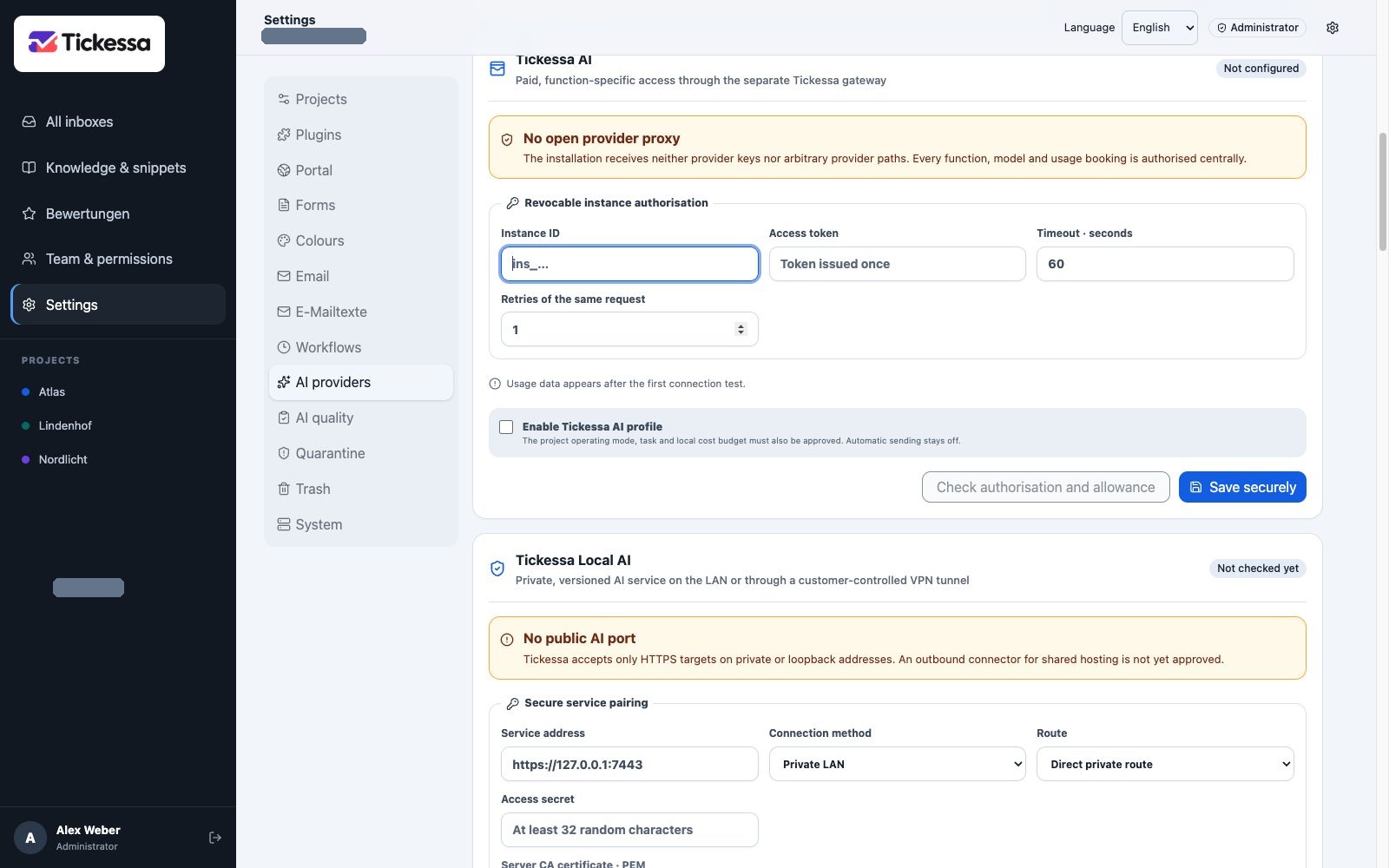
Pair Tickessa AI access here. Without credentials, the quota remains unconnected.
Approve project and task
Select Tickessa AI with quota for the project, then assign a model profile reported by the connection test.
Own cloud access uses your provider key and rejects Tickessa AI as primary. Tickessa AI with quota requires a Tickessa AI primary. Local only exclusively uses the validated internal service. Hybrid permits cloud transfer only for explicitly approved categories.
A BYOK fallback needs normal explicit fallback and data-category approvals. Otherwise no switch occurs. Disabling the task still leaves manual work available.
Understand quota
- Included units: monthly contractual allowance.
- Extra budget: separately approved additional usage.
- Used: successfully finalised calls.
- Reserved: started or unresolved calls.
- Remaining: included plus additional units minus used and reserved.
- Warning threshold: percentage warning before exhaustion.
- Hard limit: blocks further provider calls.
- Measured provider costs: actual technical USD costs, separate from customer units.
Units are not provider cost. A simple contractual call allowance can coexist with internally measured input/output amounts and reconciliation costs.
No duplicate charges on retry
Each local AI run has a unique request ID. If the connection fails after provider success, retrying the same ID returns a briefly encrypted cached result without another call or unit charge.
Reusing an ID with different content is blocked. Expired response caches also prevent a new paid execution. Ambiguous provider errors keep units reserved until reconciled against the provider bill.
Privacy
The gateway processes only the prepared approved context. Persistent usage/audit records contain function, model profile, hashed request/payload IDs, quantities, costs, states and times—no prompts, ticket text, email addresses or answers.
Successful output is encrypted only for a short retry window and then deleted; content-free billing evidence remains. Production use requires approved processing agreements, provider location, deletion periods and privacy notices.
Warnings and errors
At a warning, check remaining quota and expected calls. Extra budget is never automatic. The hard limit stops before the next provider call. After explicitly approved extra budget, a previously blocked request may be retried without double billing because it never reached the provider.
For revoked/inactive entitlements, BYOK fallback occurs only if previously approved with data categories; otherwise work manually. Request processing means wait briefly; repeated clicks do not create another charge. Investigate Idempotency conflict instead of forcing a new ID for a possibly paid request.