Help portal and contact forms
Introduced in Tickessa 0.8.0, the help portal is separate from the internal support workspace. It can provide public articles and a contact form for each project. Tickets, users and administration remain private.
The portal, FAQ, contact, embedding, server integration, public AI and search indexing have separate global approvals. All are disabled on the reference installation. A project setting alone does not publish anything.

Visitors reach approved help articles and the contact route on the project page.
Why several approvals?
Every relevant level must be active. A contact form requires:
- Global portal approval.
- Global contact approval.
- An active project portal.
- Contact enabled for the project.
- An active form profile.
FAQ, embeds and server integrations need their own additional switches. One accidental setting cannot open a public intake channel.
Prepare a project portal
Open Settings → Portal and select a project.
Address and activation
- Public path: a stable identifier after
/hilfe/, such asmy-project. Plan redirects before changing a published path. - Optional hostname: a dedicated host without a protocol or path. Configure DNS and TLS outside Tickessa.
- Public link: the automatically constructed preview address.
- Enable help homepage: project approval, also requiring the global portal switch.
- Show direct contact: requires the global contact switch and an active form.
- Prepare knowledge section: allows FAQ and article search only with global FAQ approval and published articles.
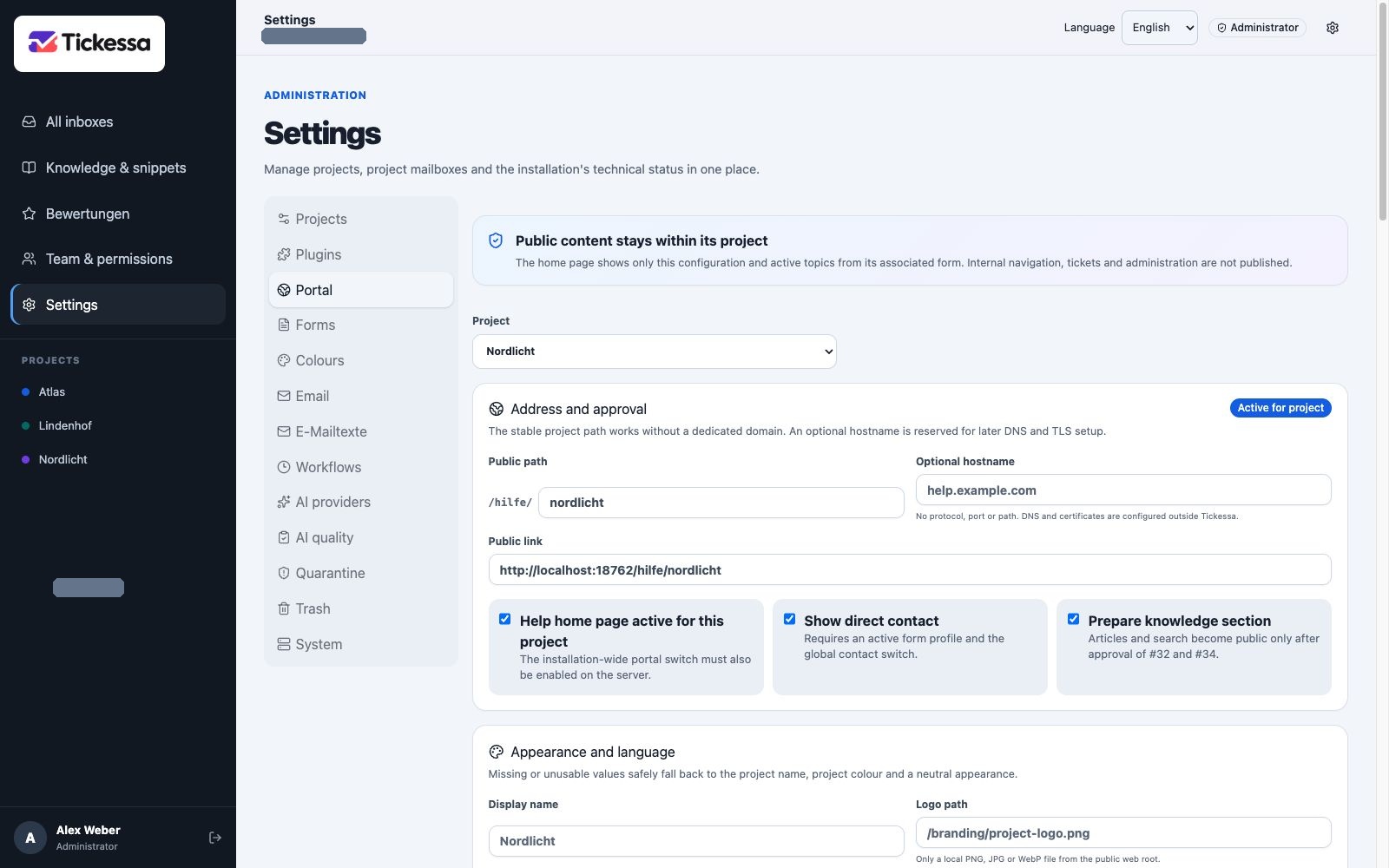
Maintain the public path and activation settings for each project.
Appearance and language
- Display name overrides the project name only in the public portal.
- Logo path must reference a validated local image in the public webroot.
- Primary and accent colours style buttons and highlights; check contrast.
- Greeting and Introduction explain the purpose and next steps.
- Support notice states limits of the contact channel.
- Current notice covers incidents or changed availability.
- Response time should set a realistic expectation without an unverified guarantee.
- Back link, Legal notice and Privacy must be complete HTTPS URLs.
Set the default portal language under Settings → Email texts. Visitors can select their own language. Operator-authored greetings, article content and form topics are not automatically translated. See Languages and email templates.
Response origin and AI transparency
Edit human, human-reviewed AI and automatic AI notices, plus the public explanation, per language under Settings → Email texts. Versions apply only to future messages; older origin records retain their original wording.
Public AI help
Public AI needs further legal, privacy, confidence, question-length and request-volume approvals. It becomes available only when the portal, FAQ, contact, legal links, provider policy and budgets are ready. A stored key or project selection alone does not publish it. See Public AI help from approved knowledge.
Privacy-conscious self-help statistics
Optional statistics count searches, article interactions, voluntary feedback and contact paths per project without cookies, stored IP addresses or third-party tracking. See Self-help statistics for approval, retention, metrics and internal AI revision suggestions.
Configure a form profile
Open Settings → Forms. Version 0.8.0 initially manages one default form per project.
- Stable identifier stays unchanged for links and integrations.
- Title and Introduction explain the purpose.
- Confirmation text appears after acceptance and must not promise a confirmation email.
- Privacy link explains project-specific processing.
- Allowed origins lists one complete HTTP/HTTPS origin per line, without paths or wildcards.
- Required fields: email, topic and message are always required; name and subject can additionally be mandatory.
- Form profile active is one of several approval levels.
- Allow embedding additionally requires global embed approval and matching origins.
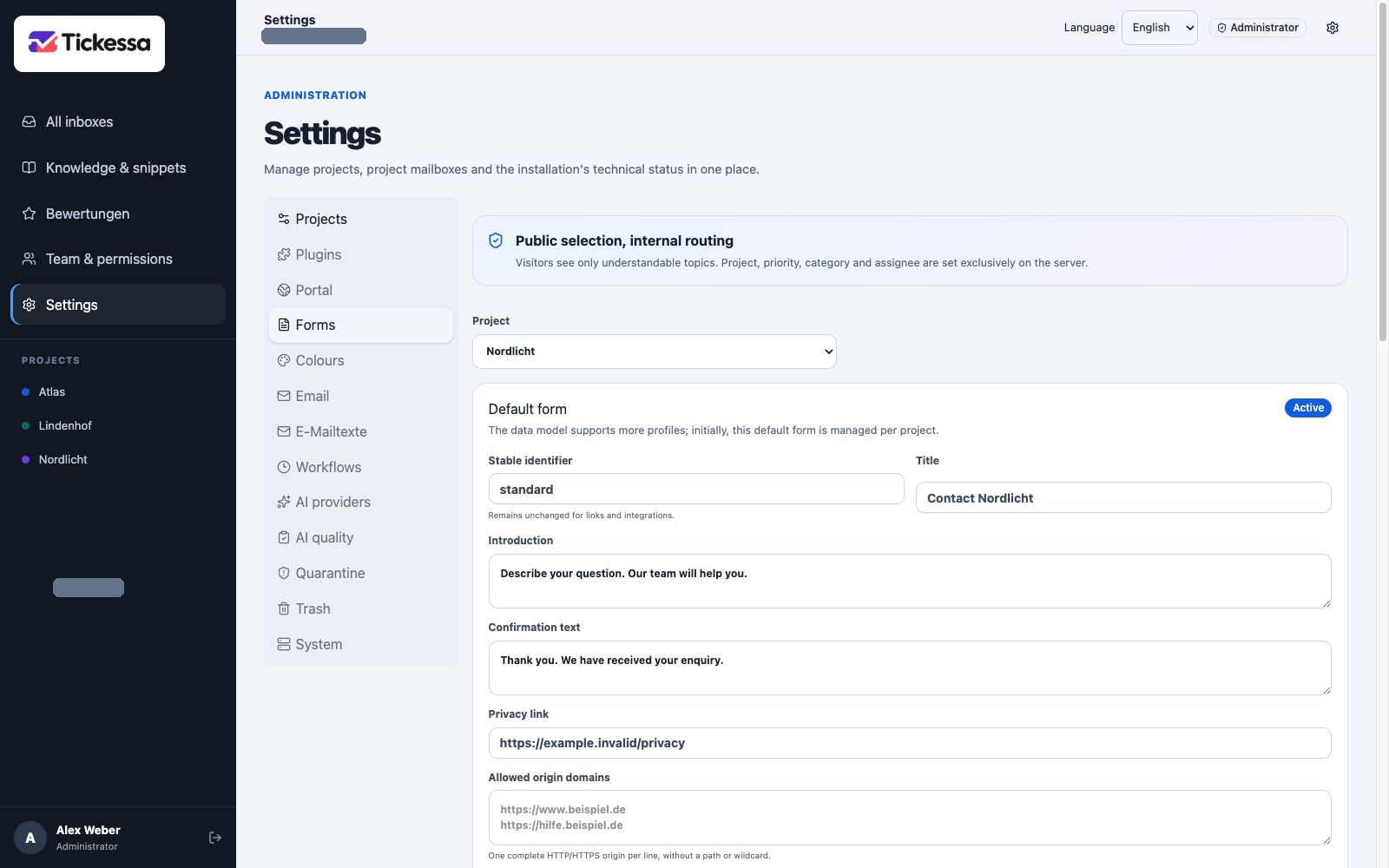
The form profile defines the heading, introduction and submission confirmation.
Public topics
Visitors see a readable topic label. Internal mapping stays on the server and cannot be overridden by the browser.
- Stable key cannot change after the first save.
- Public label is the visible topic name.
- Help text explains which enquiries belong here.
- Internal category is assigned to new tickets without exposing the internal mapping publicly.
- Default priority sets initial urgency.
- Optional assignee assigns tickets to an authorised person.
- Available for new enquiries can disable a topic without rewriting old tickets.
The fallback topic other stays active. Renaming creates a topic version so older tickets retain the selection used at the time.
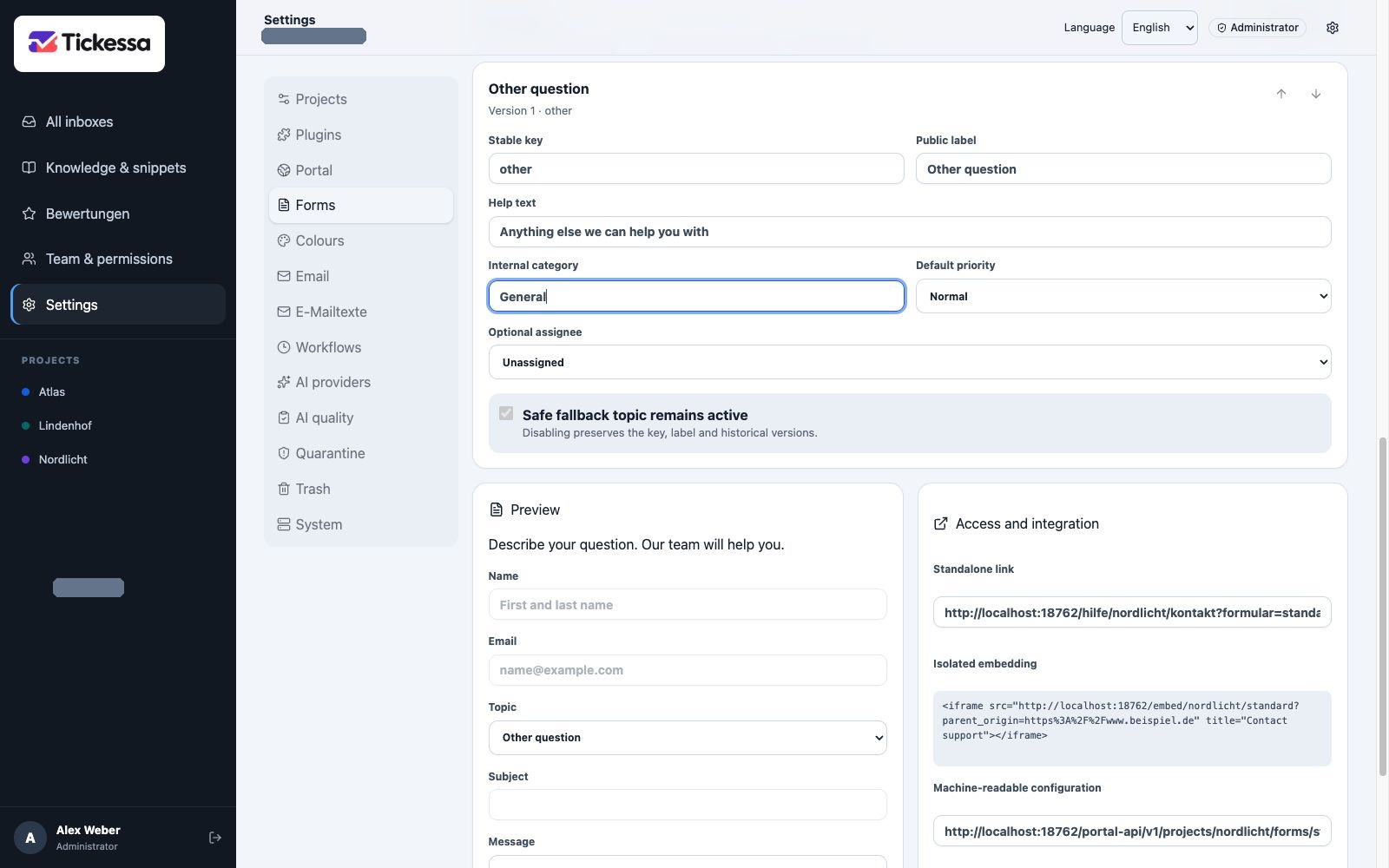
Public topics help visitors choose and classify the request internally.
What submission creates
A valid enquiry creates, in one database transaction:
- A contact containing only necessary data.
- Exactly one normal ticket with the Web channel.
- The first inbound message.
- An audit event with configuration version and applied protections.
Project, category, priority and assignee come exclusively from server configuration.
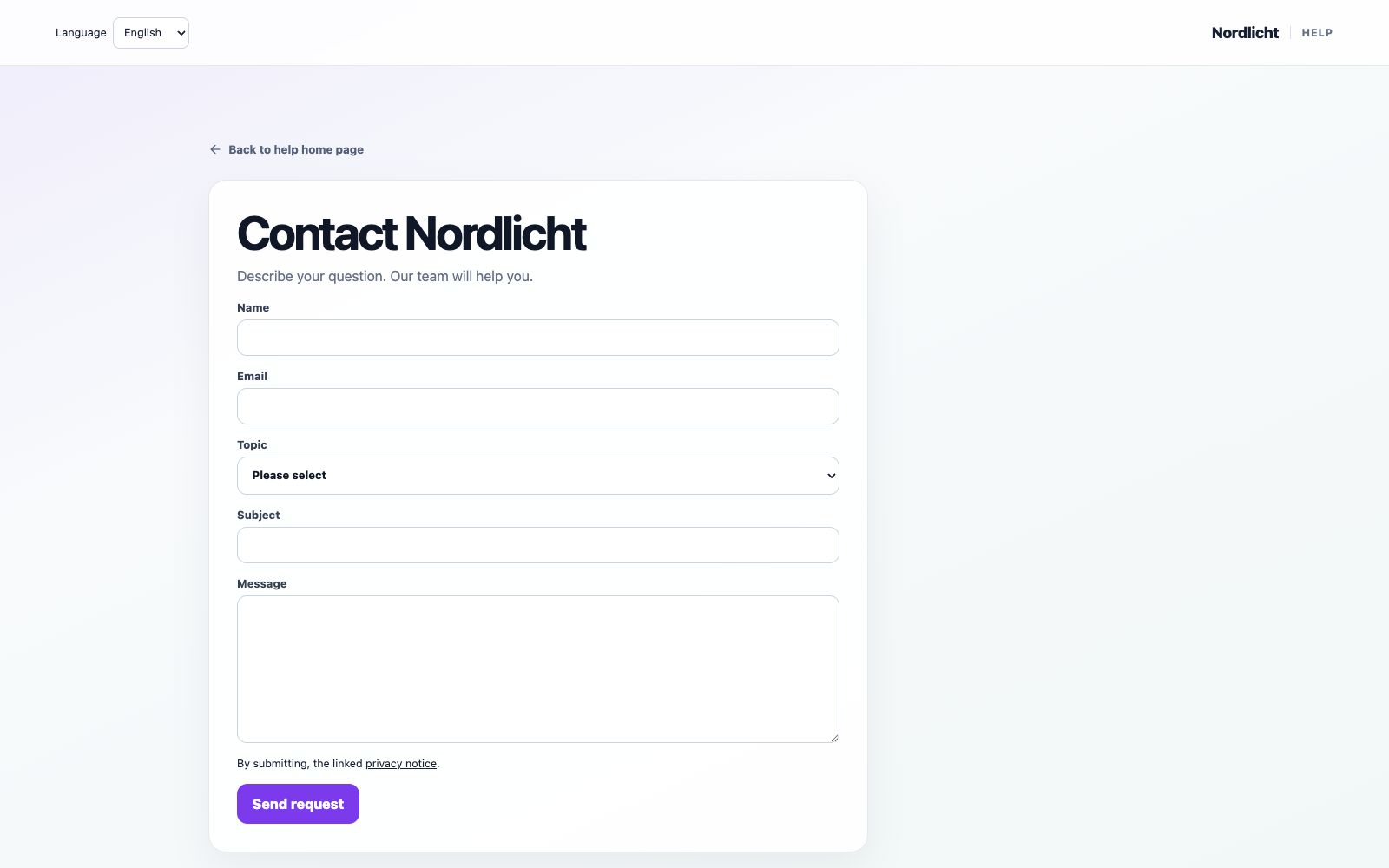
The contact form collects the topic, contact details and message for its project.
Abuse and duplicate protection
The form combines size and field limits, a short-lived signed token, minimum completion time, honeypot, rate limits, exact origin checking and an idempotency key. Repeating an identical submission does not create several tickets.
Attachments and automatic confirmation emails are not yet enabled for public intake.
Direct links, embeds and your own website
A standalone link is the simplest universal route. Embeds remain isolated and only allow explicitly approved framing origins. A custom website can retrieve machine-readable form configuration; permanent server integration secrets must never appear in browser code, URLs or public repositories.
Before publication, check paths, wording, privacy, topic mapping, rate limits, errors and a controlled test ticket.
An AI handover requires an explicit click before copying the question and result locally into the editable form. The content is excluded from the URL. Only the normal send button creates a ticket.