Users and permissions
Administrators create users and can later change their name, email, role, active status and project access.
Create an account
- Open user administration.
- Enter a name and personal email address.
- Select the appropriate role.
- Assign only the necessary projects.
- Activate the account through the provided invitation or password process.
Public self-registration is not available.
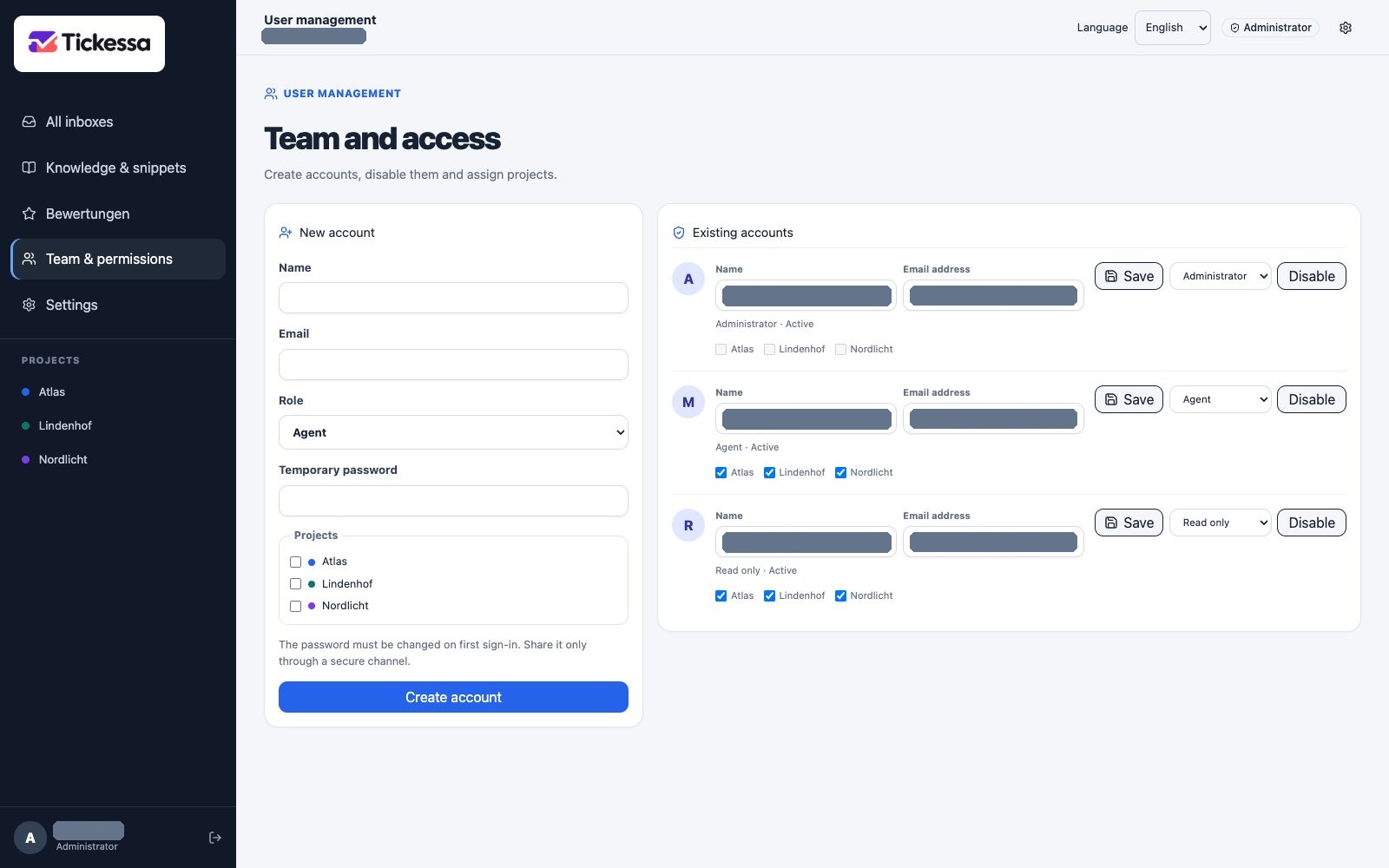
Set the role and project access together on the user account.
Edit an account
Changing a name, email, role or project access leaves the existing password unchanged. Deactivate accounts that should temporarily or permanently lose access.
Each user selects their own interface language. It is stored with their account and persists across sign-out and sign-in.
Least privilege
Give administrator access only to people who need to manage users, projects, mailboxes or system settings. Agents receive only the projects they need. Viewers remain read-only.