Configure project mailboxes
Administrators manage a project's primary mailbox under Settings → Email.
Required information
- Support address and sender name
- IMAP host, port and encryption
- SMTP host, port and encryption
- Username and password
Edit each language's signature separately under Settings → Email texts. See Languages and email templates.
IMAP retrieves incoming messages; SMTP sends ticket replies. Both connections use the same mailbox login but may have different hosts, ports or encryption modes.
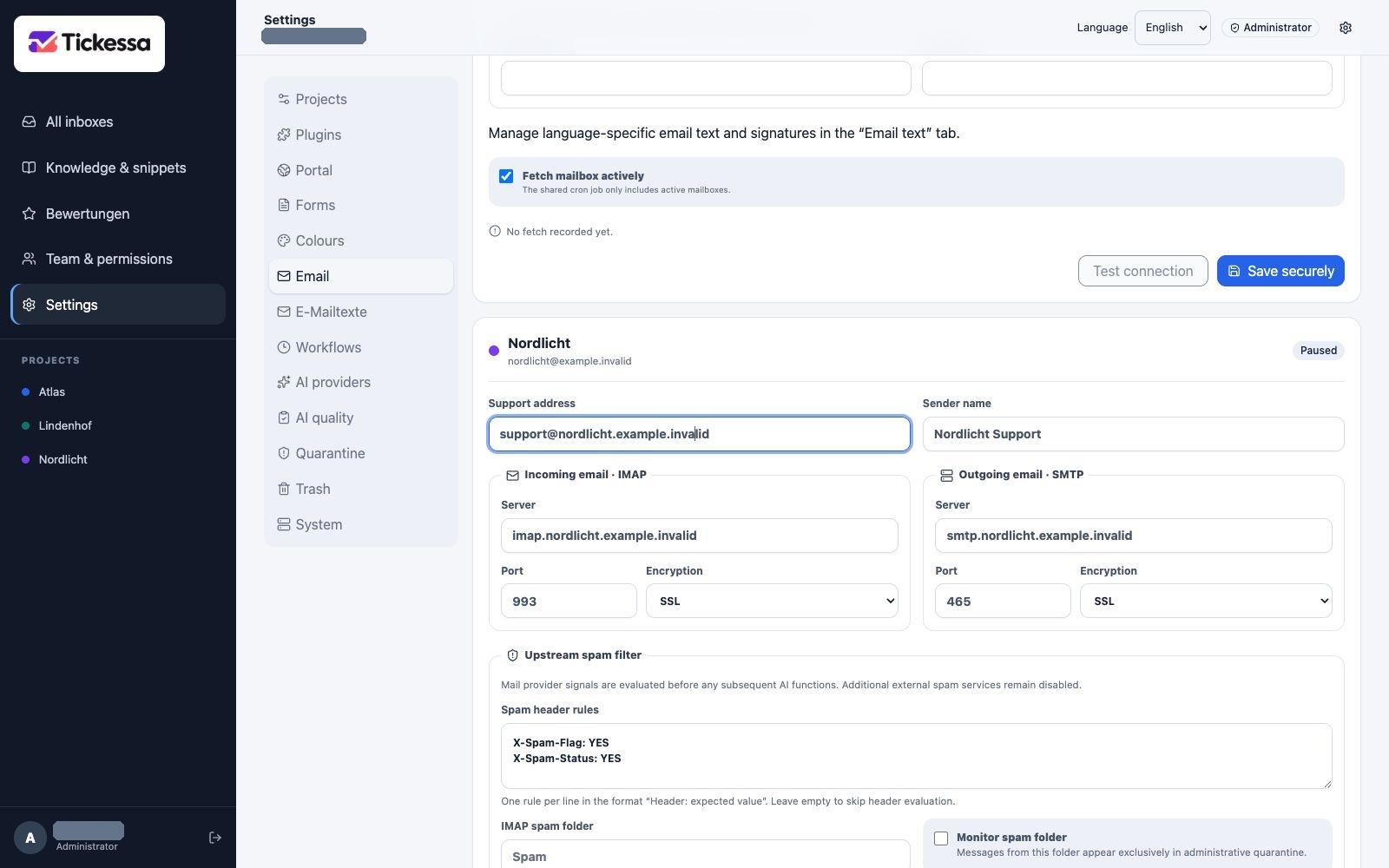
IMAP and SMTP belong to the project mailbox. The addresses shown are placeholders for your own mailbox details.
Protect secrets
Credentials are encrypted with the installation's application key. After saving, the API never returns them to the browser; the interface only indicates whether credentials exist.
Leaving credential fields empty preserves the existing login. Enter a password only when replacing it.
Mailbox credentials are tied to the server-side application key. Complete recovery requires the database, files and the same key.
Use upstream spam filtering
Tickessa can evaluate existing provider signals before any AI function.
- Spam header rules use one
Header: expected valueper line, such asX-Spam-Flag: YES. Matching is case-insensitive. - IMAP spam folder is the exact folder name on the mail server, such as
Spam. - Monitor spam folder imports that folder into administrative quarantine only, without AI calls or replies.
Empty header rules disable only header evaluation. An enabled spam folder requires the exact server name. Inbox and spam-folder import positions are separate, so a change does not unexpectedly reimport old messages.
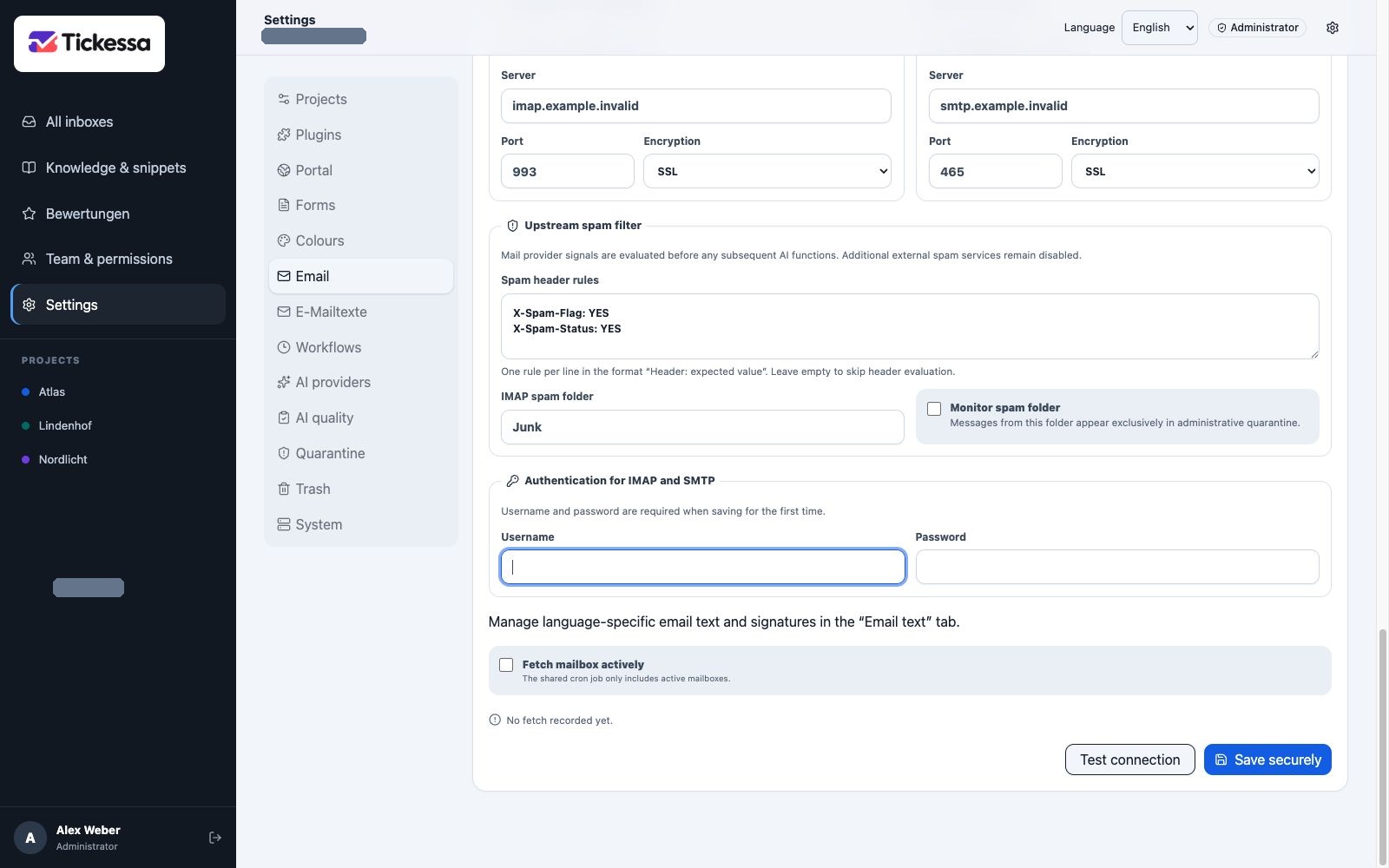
Use existing spam signals and an optional spam folder here. Match these example values to your own mail provider.
Verify changes
After saving, select Test connection. Tickessa checks IMAP and SMTP login without exposing stored credentials. Then verify mailbox retrieval and a controlled send only to an explicitly authorised recipient.
If monitoring spam, also check the last retrieval and errors. Real credentials belong only in Tickessa settings or protected server configuration, never documentation, tickets or logs.