AI providers, tasks and budgets
Administrators manage provider credentials, models, tasks, spending limits and reply profiles under Settings → AI providers. A stored key alone processes no tickets and permits no automatic sending.
Safe initial state
After migration, global AI, provider profiles, tasks, approved installation/project budgets, controlled fallbacks and automatic email sending are disabled; the AI emergency stop is active. Manual ticket work remains available.
Prepare your OpenAI connection
- Enter the key under New API key.
- Set timeout, retries and call limits.
- Choose whether to activate the provider profile.
- Select Save securely.
- Select Test connection.
The key is encrypted with the installation key and never returned to the browser. An empty field preserves it. Remove key deletes it locally and disables the profile; revoke it with the provider separately if it should become invalid there.
Connection tests retrieve model IDs server-side. Models missing from the latest test remain visible for diagnosis but cannot be selected for new calls.
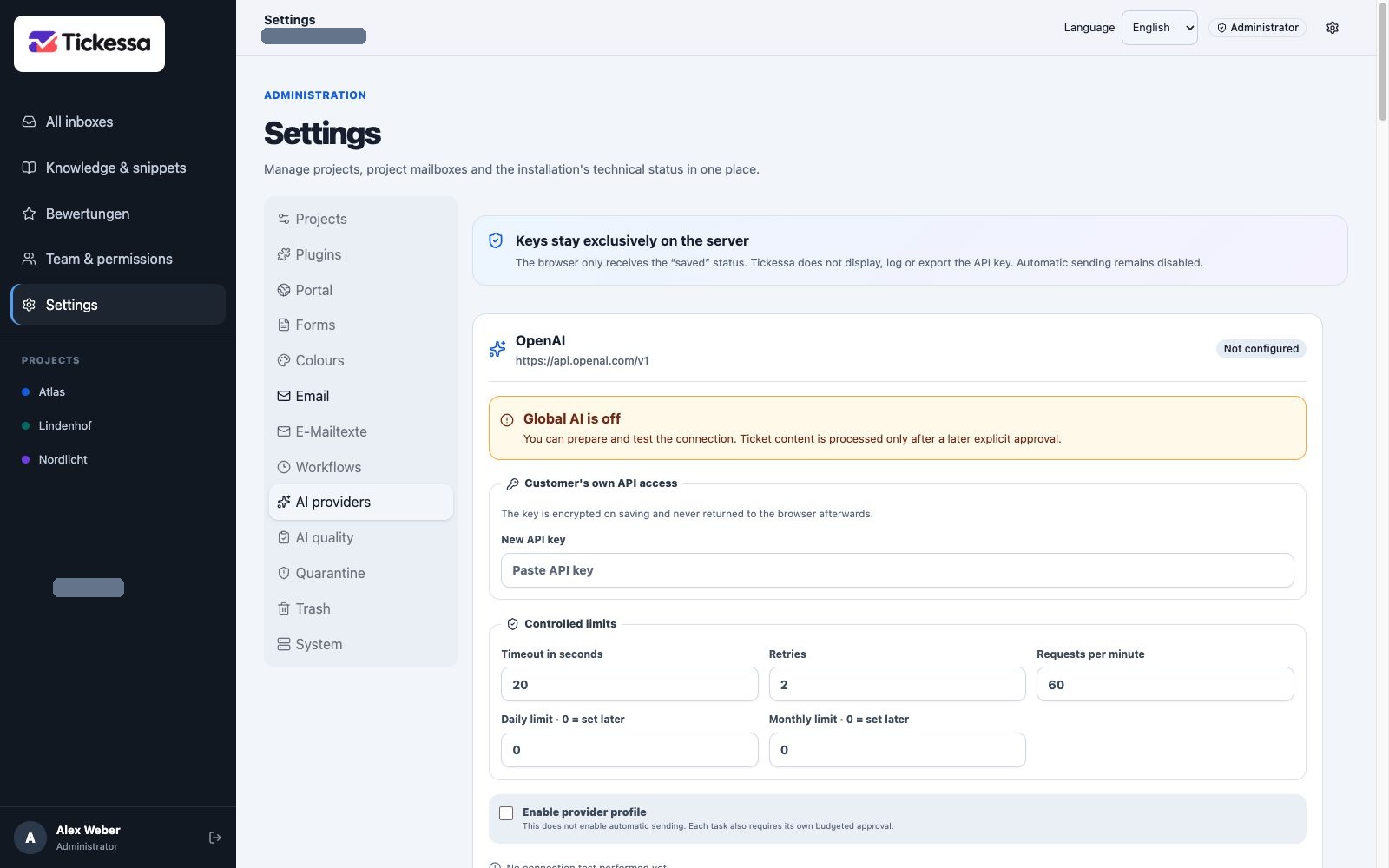
Prepare provider access and call limits in the provider profile. The example contains no API key.
Provider limits
Timeout limits waiting, retries limit permitted technical retries, calls per minute limit bursts, and daily/monthly limits cap call counts. These supplement budgets and provider restrictions without guaranteeing response time.
Cloud budgets and local metrics
Before each cloud call, Tickessa checks installation, project and task budgets. Each has daily/monthly limits and a warning threshold. Installation and project emergency stops block AI without blocking manual work. Costs are administrative per-call estimates, not a replacement for provider invoices.
Local AI has no cloud-token cost and records estimated cost as 0, while still measuring call count, queue, total/inference duration and reported memory. Electricity, hardware and operating costs are assessed separately and are not necessarily zero.
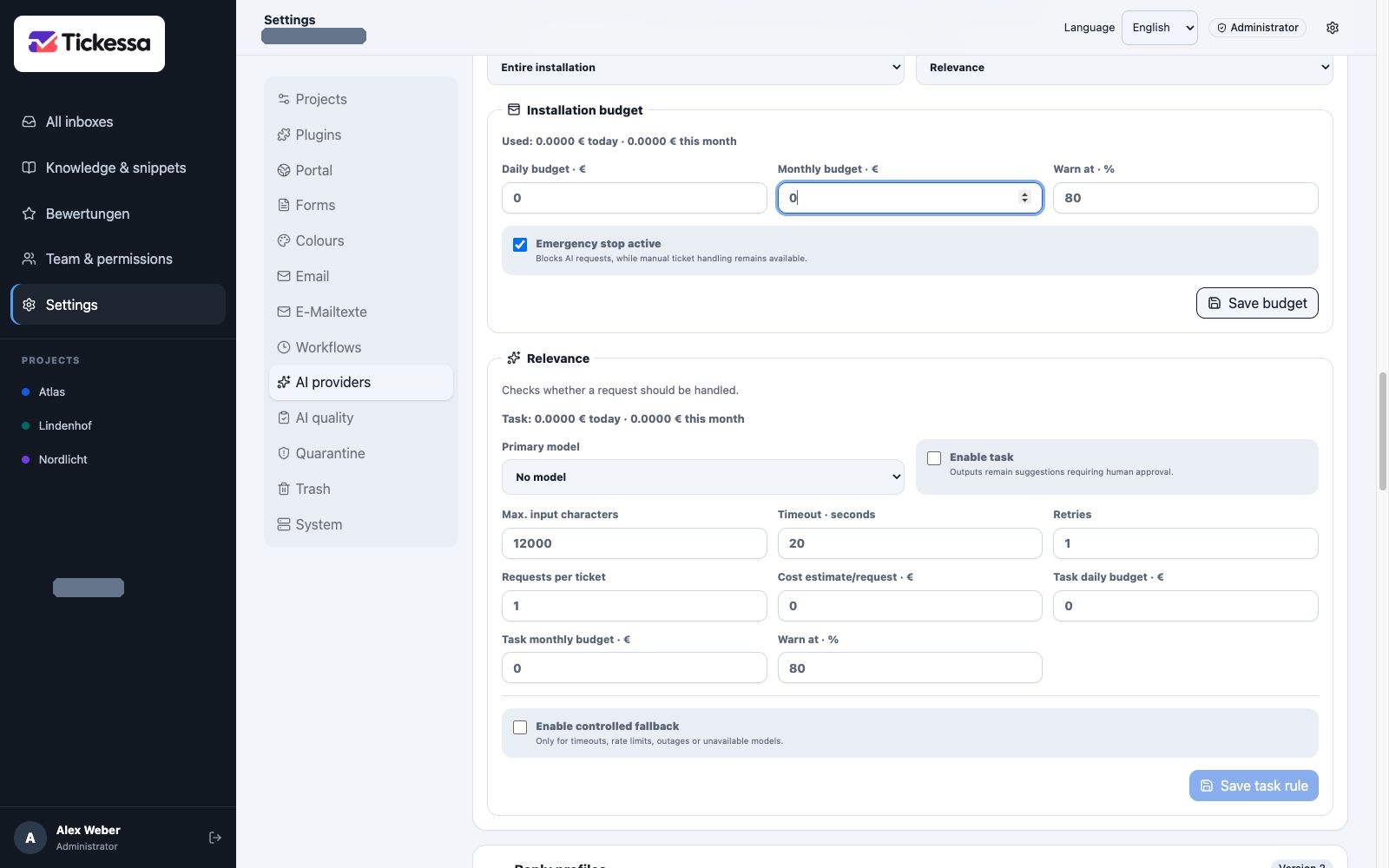
Budgets limit spending; the emergency stop blocks AI processing while manual ticket work remains available.
Task policies
Installation policies can be overridden per project. Configure:
- Task: relevance, classification, priority, summary, reply, knowledge search/draft, public help or language.
- Primary model available at the latest connection test.
- Task enabled for suggestions, without auto-send permission.
- Maximum input characters.
- Timeout and retries, using the stricter provider/task limit.
- Calls per ticket to prevent loops.
- Estimated cost per call, reserved against budgets beforehand.
- Daily/monthly task budgets and warning threshold.
Public help requires fallback off, zero retries, an active available primary model, positive task/project/installation budgets and legal/privacy portal approvals. Unauthenticated visitor input must not silently switch data recipients or generate uncontrolled retry costs. See Public AI help.
Controlled fallback
Fallback is allowed only for timeout, rate limit, outage or unavailable primary model. It needs explicit activation and approval of specific data categories for a different recipient. Budgets and model availability are checked again. No approval means no fallback; local-only mode technically excludes silent cloud fallback.
Tickessa Local AI
The separately paired service uses private HTTPS and project-specific Local only or explicitly approved Hybrid modes. See Local AI setup for routes, indexing, diagnosis and privacy limits.
Tickessa AI with a quota
The paid service keeps provider credentials only in a separate gateway. Your installation stores an encrypted, revocable instance ID and token. The gateway accepts approved functions/model profiles, reserves customer units before provider calls and stops at the monthly hard limit.
The interface separates included units, extra budget, use, reservations and remaining quota from actual provider cost. Stable idempotency IDs prevent repeated logical requests being executed and charged more than once. See Tickessa AI quotas.
Reply profiles
Profiles control style, never facts or safety. Precedence is:
Safety rules → Installation → Project → Category → Knowledge → Confirmed salutation → One-time instruction
Configure form of address, tone, length, technical depth, greeting, closing, team identity, signature, preferred/unwanted wording, forbidden promises, required questions and style examples.
Never infer gender or titles from a name. {anrede} is replaced only using a confirmed ticket salutation. Style examples are not factual sources. Every edit creates a version; historical AI runs retain the profile used at the time.
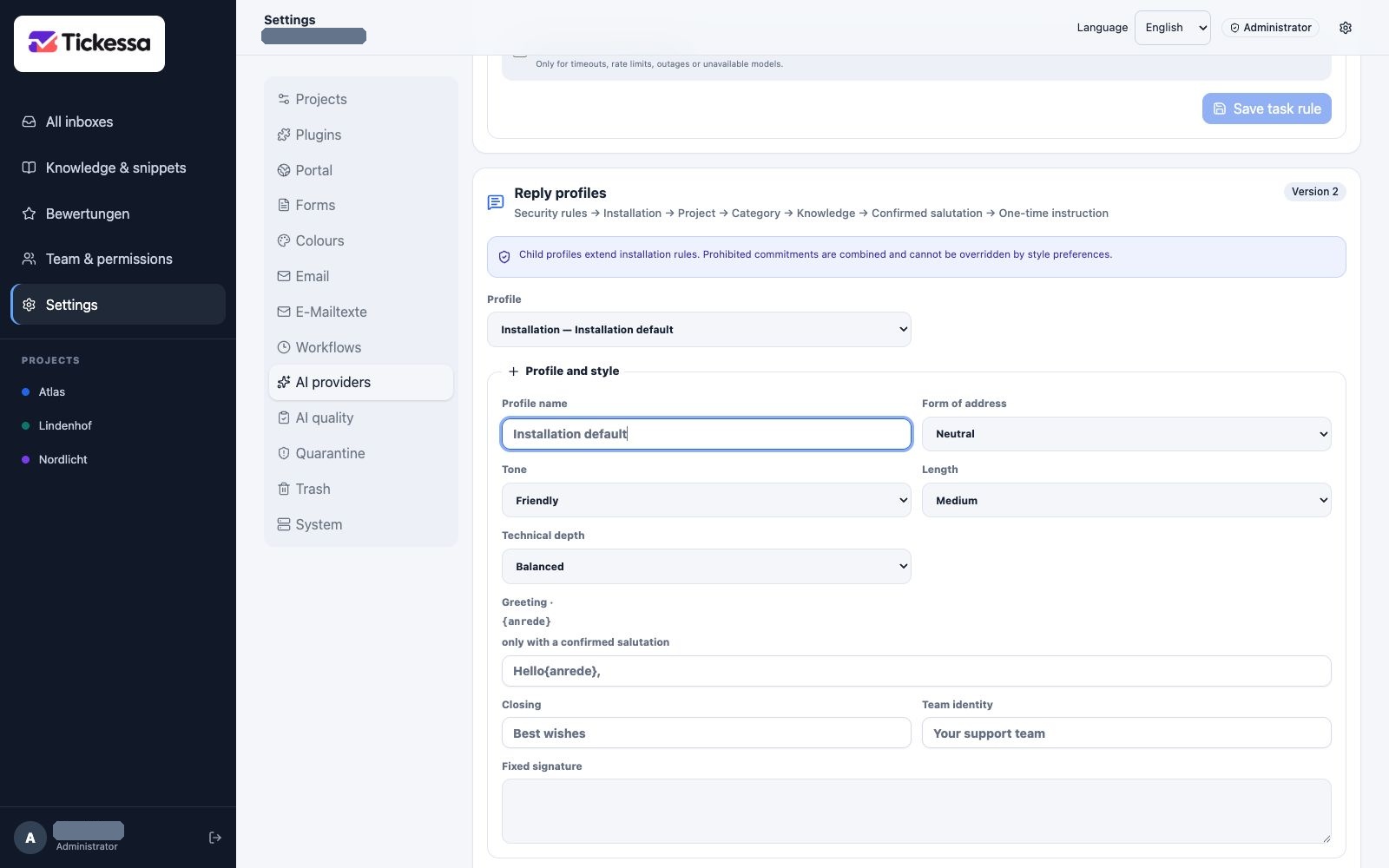
Reply profiles define writing style. Their own profile version records changes to these rules.